My Physics Engine
Hi readers!
In this post, I’m going to discuss the how I made my physics engine at both a high level and low level. I chose to use C++ because it is the language in which most modern physics engines are built, and it is optimized to be fast compared to a language like python.
Vector Math
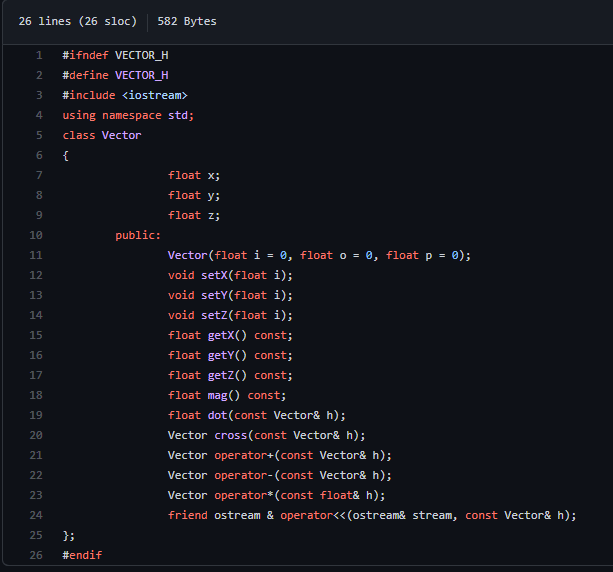
The first class I built is the vector math system as all the position and movement information for the objects in my physics engine is handled through three-dimensional vectors. The reason for this is that a vector is an excellent model for 2D physics as the most important characteristics about an object that can’t be represented as a constant, can be represented by vectors. These properties include force, velocity, acceleration, and position. It is also very easy to do basic operations like addition and subtraction with vectors as shown in the code. It can also compute the dot product, cross product, and the magnitude of any vector.
List
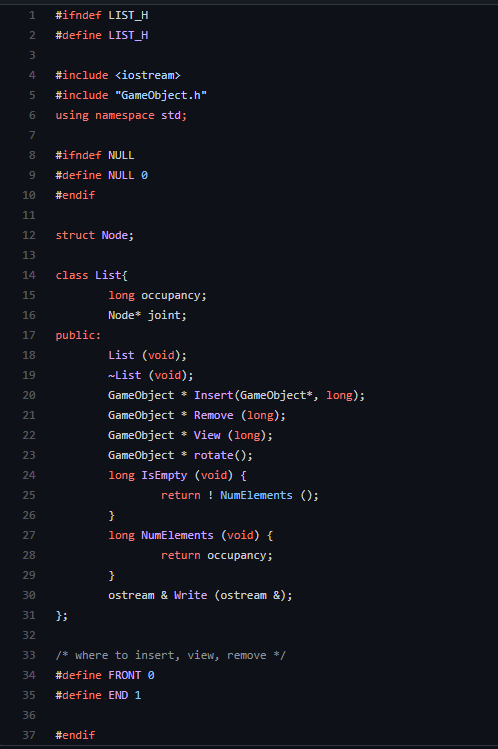
The next backing class I built before getting started on the actual physics engine was a list class to store all the objects in the engine. I could have used the STL list class and saved myself the effort, however, I wanted to practice the construction of basic data structures. This list is a linked list which I chose because it has fast removal and addition compared to the array list which would be useful when adding and removing objects to the world. Its random lookup is poor but that is fine since I would mostly be iterating through all the objects rather than lookup up a random one.
The World
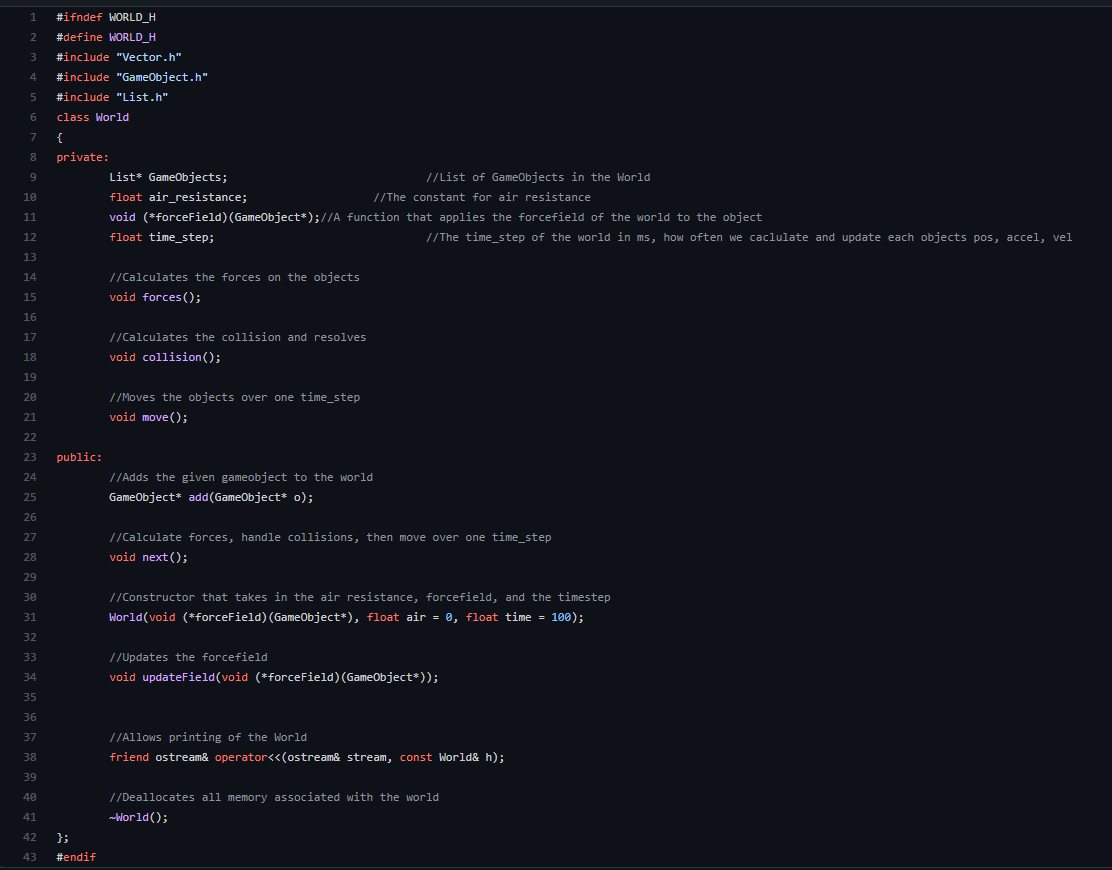
Next, I built the overall world of the physics engine that would contain all the game objects, and relevant fields that should belong to the world like air resistance, the size of the time-step, and the function for the force field i.e. gravity. This is the class that calculates the basic forces on the objects, then moves them, then checks for and handles collisions. Each of these functions besides the force field actually delegates its actual operation to the game object or to another class so that the program preserves object-oriented design principles. In this way, each game object actually moves itself when given all the information by the world. I haven’t yet implemented collision detection or resolution yet, but I still have the methods in the structure so ideally all I need to do is fill in the body and it works.
Game Objects
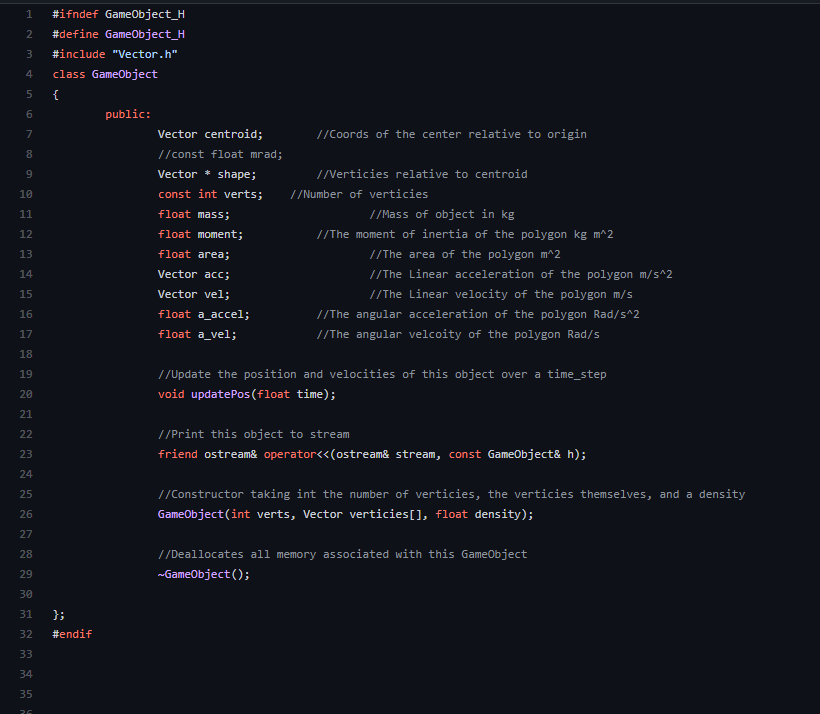
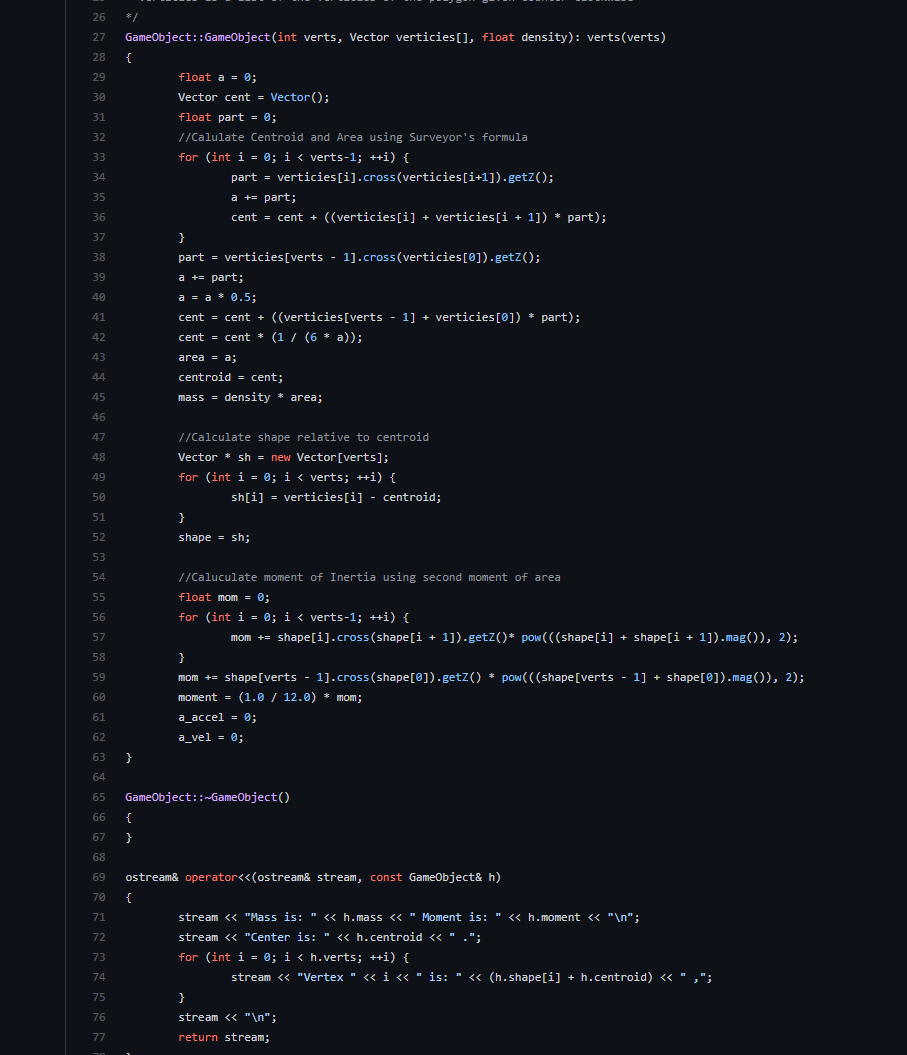
These are what describe each of the “physical” objects in the physics engine and they contain all the information about the object such as its position, shape, and other physical quantities. Using the physical quantities a Game Object can also advance itself an arbitrary amount of time and move accordingly, although it has no knowledge of other Game Objects so can’t detect collisions. I decided to model GameObjects not as a limited set of simple shapes, but as any polygon by allowing them to have an array of any size to represent the vertices of the game object relative to its central position. This makes it really easy to move and rotate the game object since all I have to do is rotate the vertices relative to the center and translate the position vector to where I want it to go.
Testing
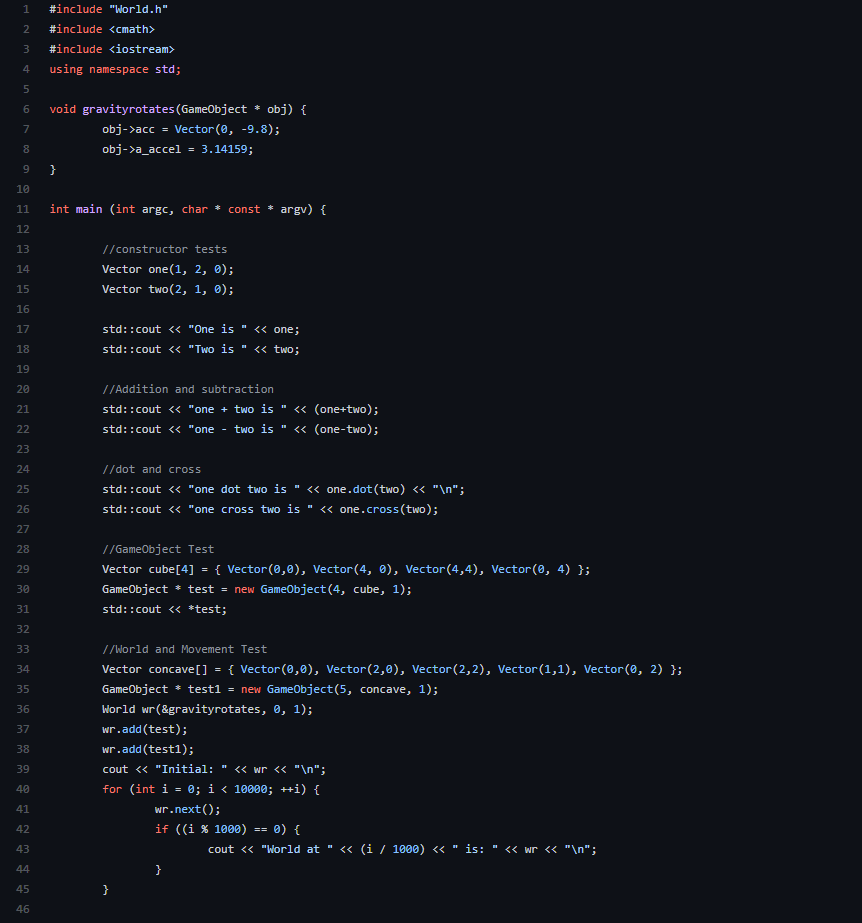
Finally, this is the main file that actually uses the physics engine. For now, it’s just running some tests but in the future, it could be a simulator or a full game that uses the methods in my physics engine to handles its physics.
Thanks for reading!